The library for books you actually own
Stop scattering your book collection across folders, devices, and forgotten downloads. Librost gives you one place to organize, search, and retrieve your books whenever you need them.
Store multiple formats
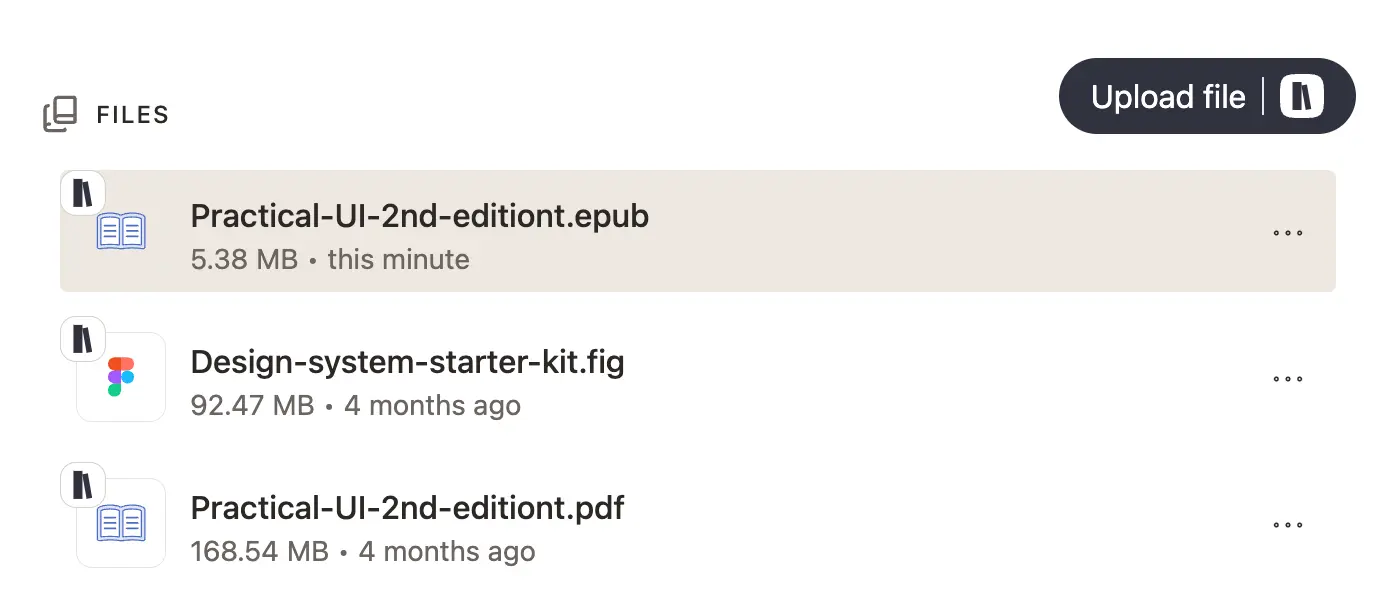
Stop managing the same book twice
Attach your EPUB, PDF, audiobook, and notes to a single book. Read on your phone, desktop, or listen on the go — all formats ready when you need them.
Powerful search
Find anything in seconds
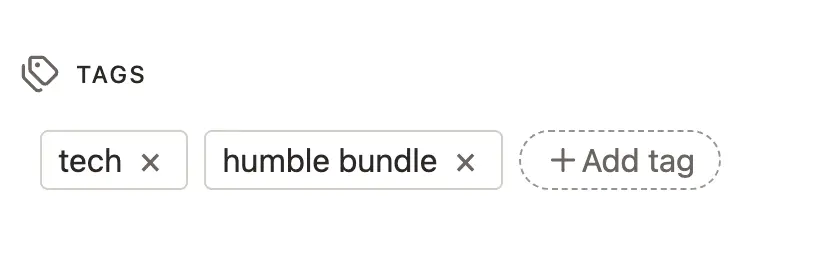
Powerful search across titles, authors, and tags. That paper you read last month? Found
Flexible storage
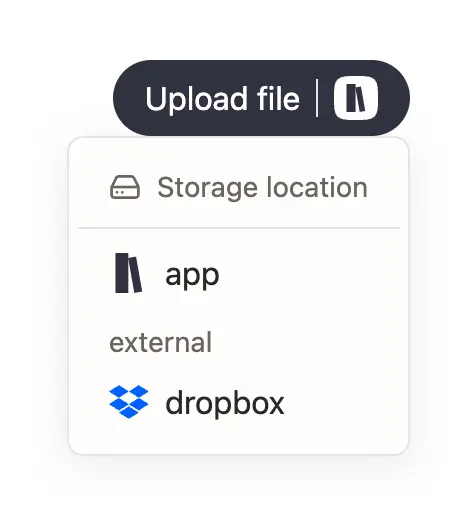
Storage that fits your needs
Get started instantly with seamless built-in storage, and easily upgrade as your library grows. Prefer total control? Connect your own cloud provider like Dropbox (others comming soon) to host your files. Bring your own storage, keep 100% ownership of your data, and never pay a dime for extra space.
Beautiful Design
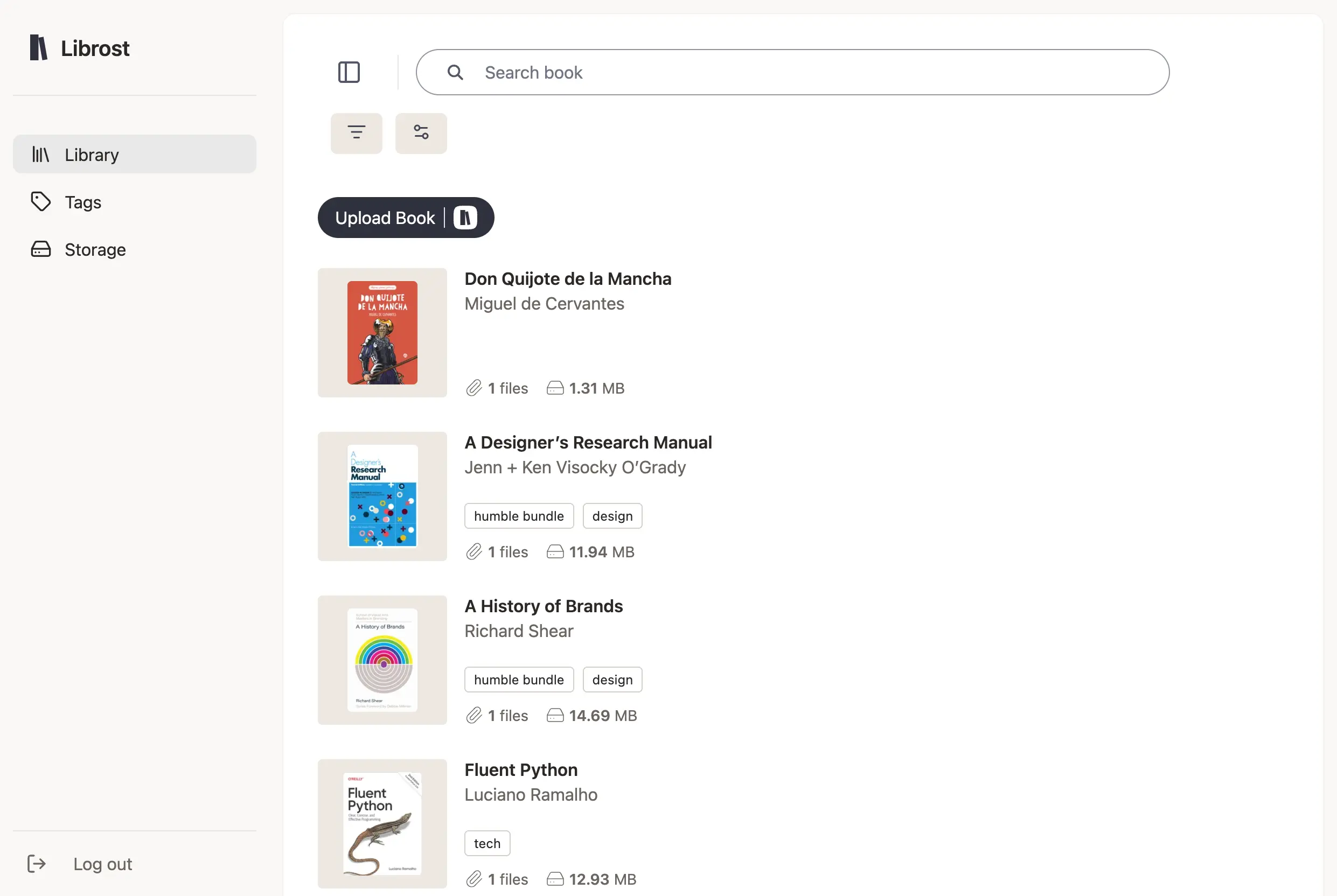
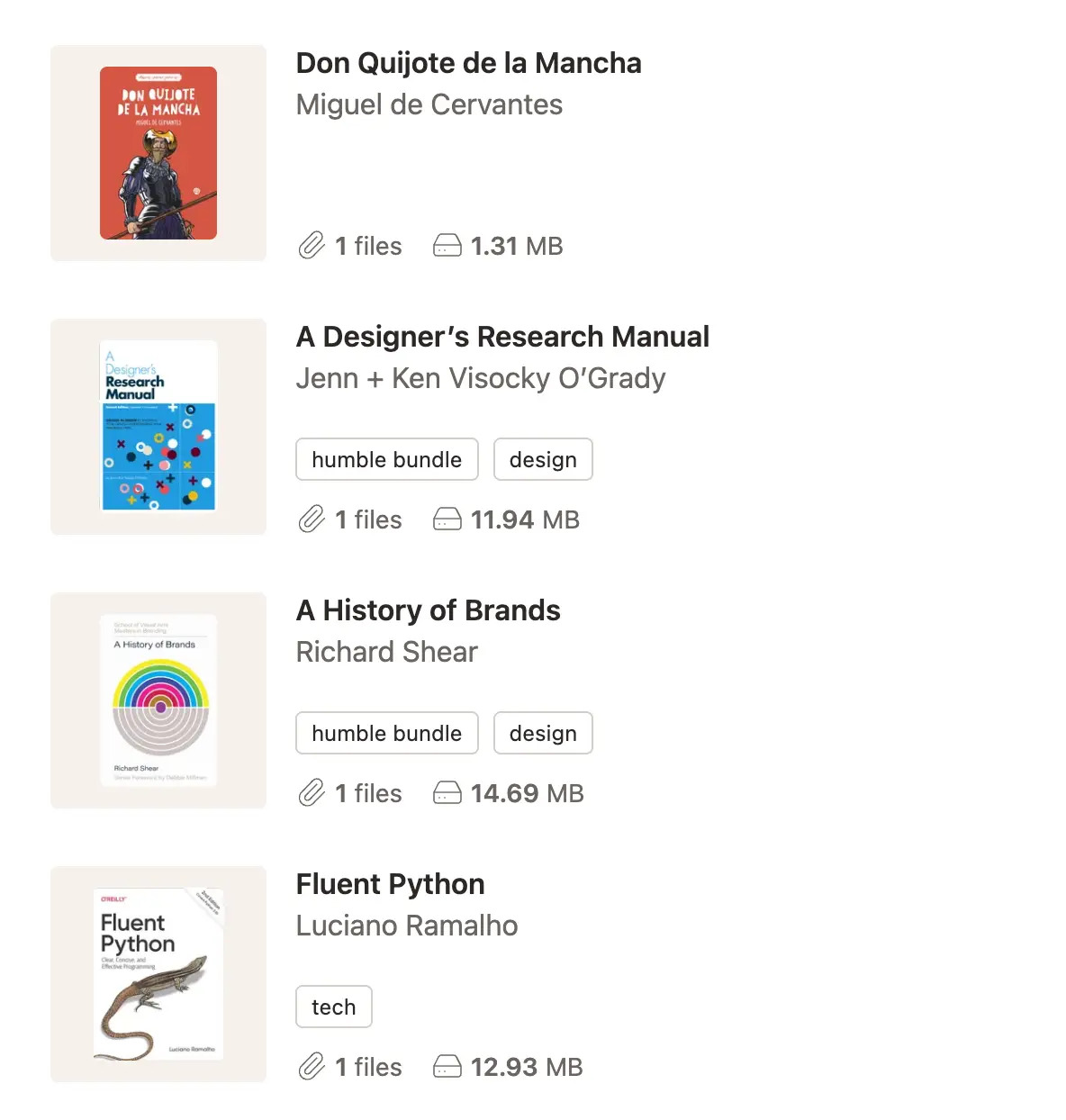
Beautiful covers, organized shelves
Upload cover images and book metadata or let Librost extract them. Browse your collection visually. It feels like a real library, minus the dust.
In the Cloud
Access from anywhere
Your library lives in the cloud. Access your books on any device with a web browser.
Simple, One-Time Pricing
No monthly subscription. Just a library that stays yours.
- ✓ 3GB Cloud Storage
- ✓ Unlimited books within your storage limit
- ✓ Cloud sync & access anywhere
- ✓ Powerful search
- ✓ Custom covers & metadata
Frequently Asked Questions
Is this a subscription?
No. Buy the app once and it's yours forever. No monthly fees, no subscriptions, no surprise charges. You get lifetime access to all current and future features.
Do you sell books?
No. Librost is a tool to organize the books you already own. We don't sell ebooks and we don't host a public catalog. You bring your own files — EPUBs, PDFs, audiobooks, whatever you have — and Librost keeps them organized, searchable, and accessible from any device.
What about storage?
Your purchase includes starter storage. Need more space? You have three options:
1. Buy a storage pack — One-time purchase, yours forever (just like the app)
2. Connect Dropbox — Use your own account, pay us nothing for storage
3. Connect Google Drive — Coming soon
You always keep full control of your files, no matter which option you choose.
Which cloud providers can I connect?
Dropbox works today. Google Drive is next. We're adding more based on what users ask for most.
What file formats can I upload?
Any file you want. There's no format restriction. Most people upload EPUBs, PDFs, and audiobooks but you can store images, videos, documents, or anything else alongside your books. If it's a file, it goes in.
Can I take my books with me if I leave?
Yes. Your books are always yours. If you use connected cloud storage, your files stay in your Dropbox or Google Drive. If you use Librost storage, you can download your books anytime. No lock-in, no hassle.