The library for books you actually own
Bring your EPUBs, PDFs, and audiobooks into one library you can search. Open a book on any device, or send a friend a link that expires in 7 days.
Free for your first 5 books. No credit card.

Formats
Stop managing the same book twice
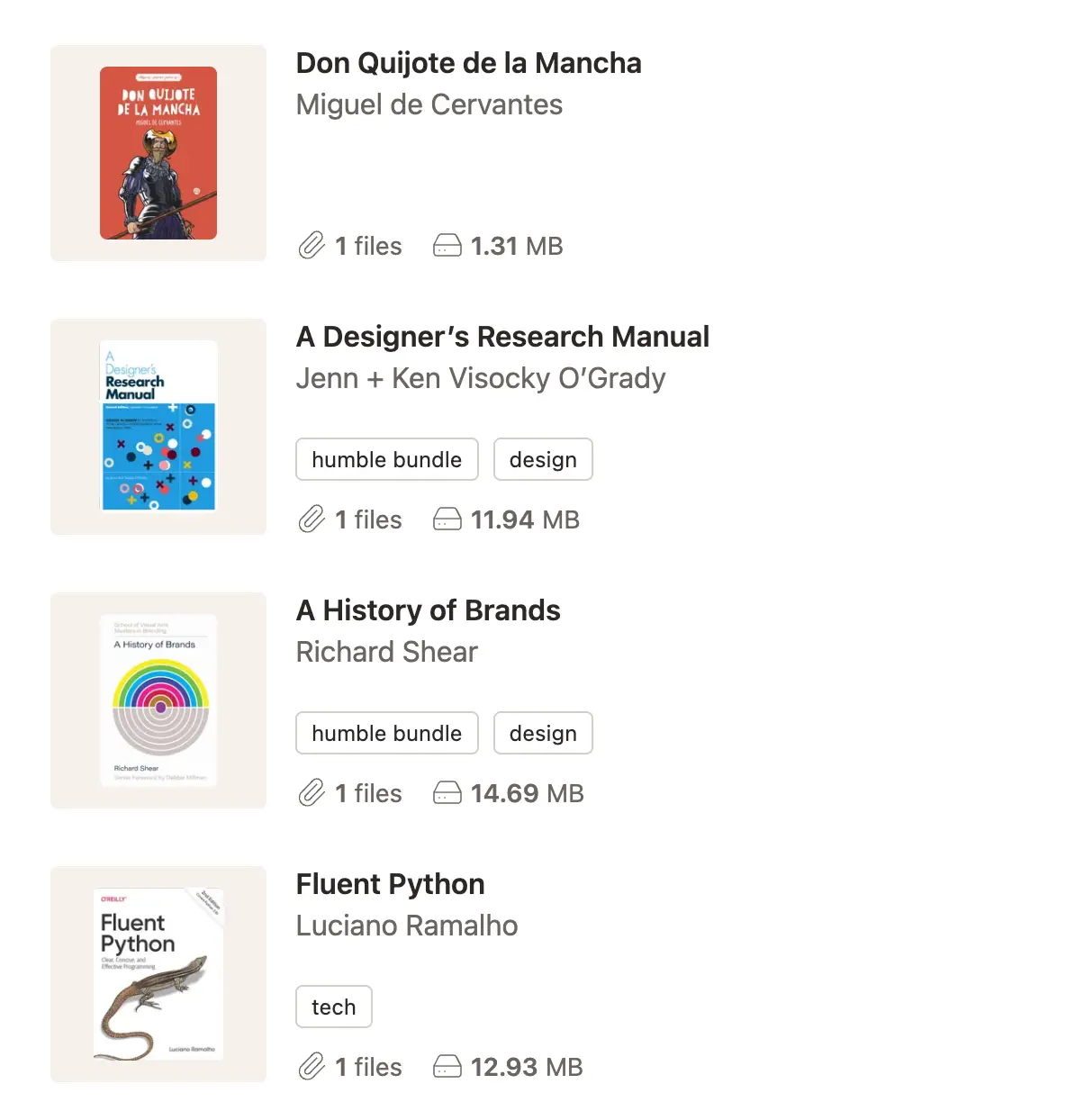
Attach an EPUB, a PDF, an audiobook, and your notes to a single entry. Read on your phone, listen in the car, open the PDF on your laptop. One record keeps the cover, author, tags, and every file together, instead of splitting a title across folders, drives, and devices.

Search and tags
Find the paper you read last month
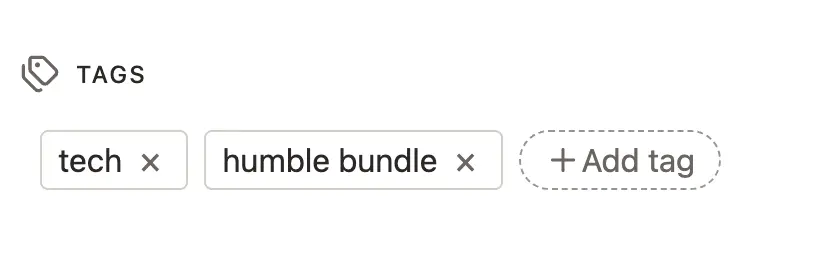
Search by title or author, stack a few tags, and sort by title, author, or upload date. Tags are the shelves you invent as you go: "to read", "signed copies", "research for the essay". A book can carry as many as you like.
Share links
One link, every file
Pick one book or a whole batch, choose which files to include, and send a single link. Anyone can download from a browser, with no account required. Every link expires after 7 days, and deleting one cuts access right away.

E-readers
Your library, in your favorite reading app
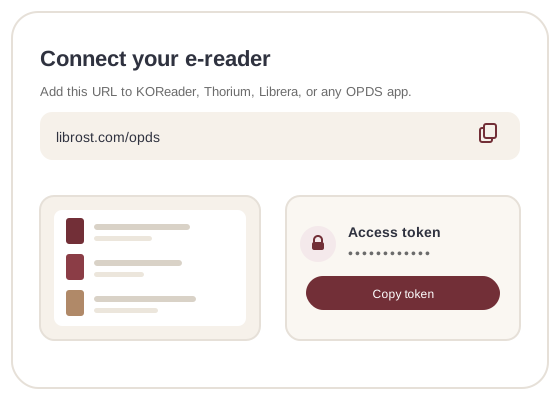
Connect KOReader, Thorium, Librera, or any OPDS app with a private token. Browse your shelf and download straight to the device over Wi-Fi. Name each token after its device, and revoke one without touching the rest of your library.
Storage
Buy storage once, keep it
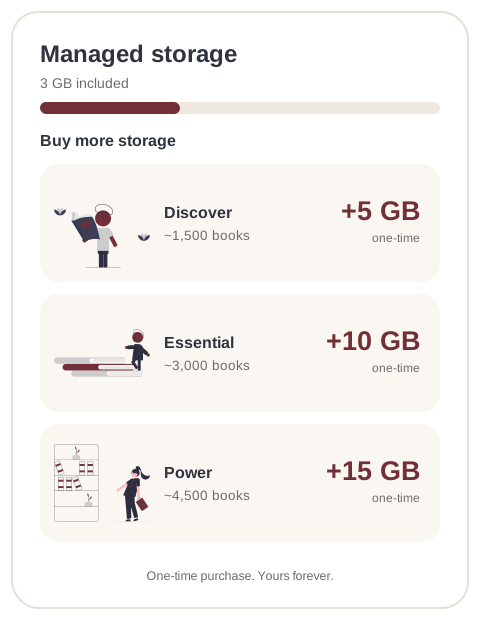
Your license includes 3 GB, enough for a few thousand EPUBs or a shelf of audiobooks. When it fills up, add a one-time pack of 5, 10, or 15 GB. Packs don't renew, and every file stays downloadable.
Covers and metadata
Beautiful covers, organized shelves
Upload covers and metadata yourself, or let Librost pull them from the file. Add an ISBN, page count, or description the file left out. Browse a wall of covers instead of a list of filenames. It feels like a real library, minus the dust.
Anywhere
The same shelf on every device
Your library lives online, so it opens on your phone, laptop, or tablet with the same shelf waiting on each. Open a book on the couch, then again at your desk.
“I had books in Dropbox, Google Drive, three publisher apps, and a folder I literally named 'books' somewhere. Librost ended the chaos. Everything lives in one place now. I search, I find, I download. That's it. No more 'which app was that in?'”
One payment. Yours for good.
One license covers the app, 3 GB of storage, and every feature on the roadmap.
Start free with up to 5 books. Buy the license when your shelf outgrows it.
- ✓ 3 GB of cloud storage
- ✓ Unlimited books, every format
- ✓ Search titles, authors, and tags
- ✓ Expiring share links
- ✓ A private OPDS feed for e-readers
- ✓ Custom covers and metadata
60 days to change your mind. Email us and we refund the full amount.
Roadmap
The license is a one-time purchase, so new releases are included. Here's what's already in your library and what's shipping next.
-
Shipped
- A library in the cloud
Your books live on our servers, so the same library opens on every device. Nothing to install or plug in.
- Tags, filtering & instant search
Organize with tags, sort and filter your library, and find a book by title, author or tag as you type.
- Share with a single link
Share any file with one link. The person on the other end needs no account, and you skip the email chains.
- Latest OPDS catalog
Connect your e-reader or reading app to your library with a personal OPDS feed and secure access tokens.
-
Coming next
- Shared shelves
Group books into shelves and share them with family and friends, so everyone can browse one library.
- Series
Group books into series and see them in reading order, so trilogies and long-running sagas stay tidy.
- Text-to-speech audiobooks
Turn any book into a downloadable audio file generated from its text, ready to listen to on the go.
- Send to Kindle & email delivery
Send a book straight to your Kindle or inbox from Librost. No cable, no manual downloads.
- Scanned PDF to EPUB
OCR a scanned PDF and get a clean, selectable EPUB, searchable and readable, without retyping a page.
Frequently Asked Questions
Is this a subscription?
No. Pay once and it's yours. That covers every current feature and everything on the roadmap.
Can I try it before paying?
Yes. Create a free account and upload up to 5 books, with full access to every feature. No credit card and no deadline. If you upgrade later, you keep the same library.
What if I change my mind after buying?
We offer a 60-day money-back guarantee. If Librost isn't what you expected, email us for a full refund.
Do you sell books?
No. Librost organizes the files you already own. There's no store and no public catalog. Bring your EPUBs, PDFs, audiobooks, or anything else, and keep them searchable from any device.
What about storage?
Your license includes 3 GB. Need more? Buy a one-time pack of 5, 10, or 15 GB. Packs don't renew, and your files stay downloadable.
What file formats can I upload?
Any file. Most people upload EPUBs, PDFs, and audiobooks, but images, videos, and documents work too. If it's a file, it goes in.
Can I take my books with me if I leave?
Yes. Download any file from your library whenever you like. Leaving Librost doesn't cost you your books.